A subscription tracker that never sees your bank.
Know what renews, and when. No. Subby doesn’t read your bank. It is a subscription tracker without bank login, and the trade is that you add each subscription yourself. A reminder lands before each charge, so you can cancel a subscription in time. Pick from 600+ brands, or snap a screenshot and let PRO fill in the price, cycle and date. Either way it takes about twenty seconds. Nothing connects to your bank, so there is no account and nothing that can break.


Free · No account · No bank login
Featured in Swipe’s Indie Apps Showcase


of people track their subscriptions in their head. It isn’t working.
(C+R Research, 2022)
74% of people say recurring charges are easy to forget. 72% have them on auto-pay, so nothing ever reminds them. (C+R Research, 2022)
What do yours add up to?Add yours up in two minutes, no signup.Three steps
Set up in about two minutes without a bank login.
Add
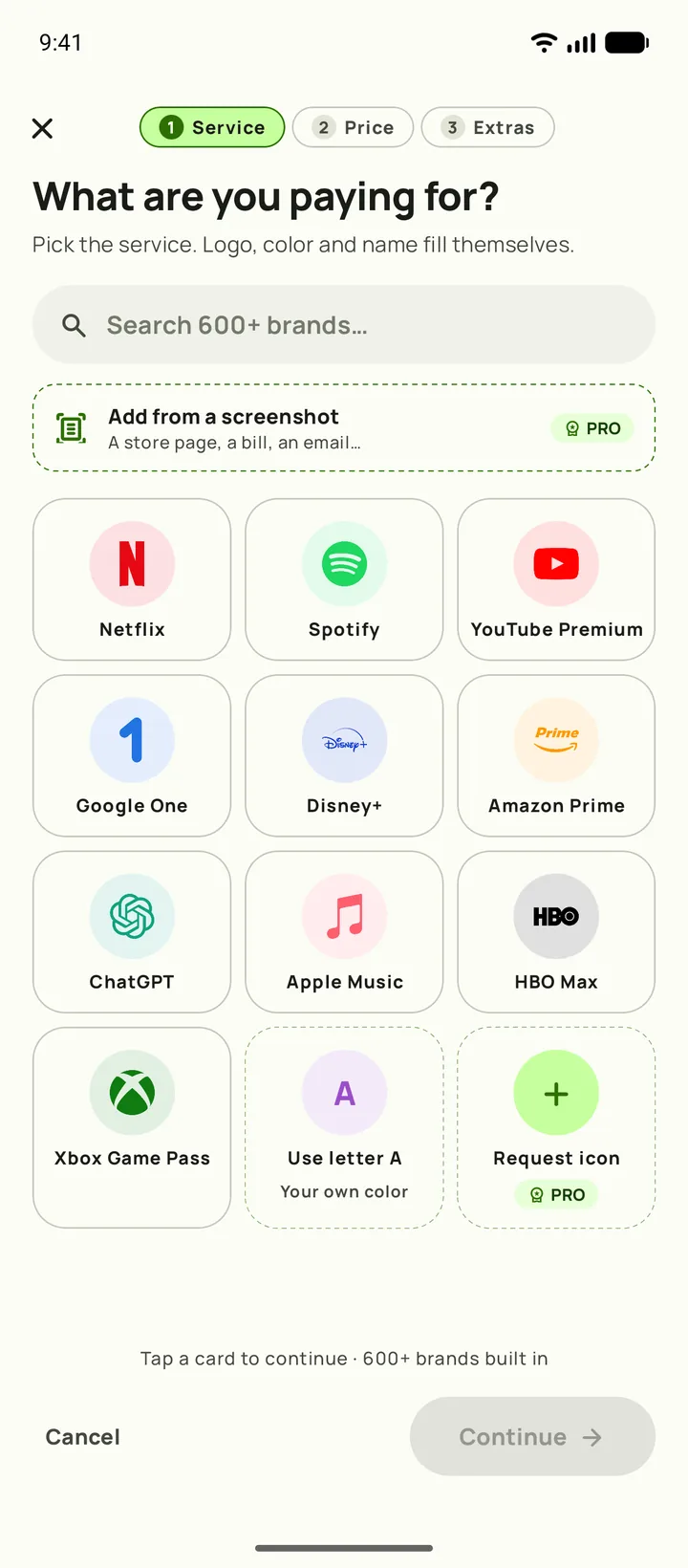
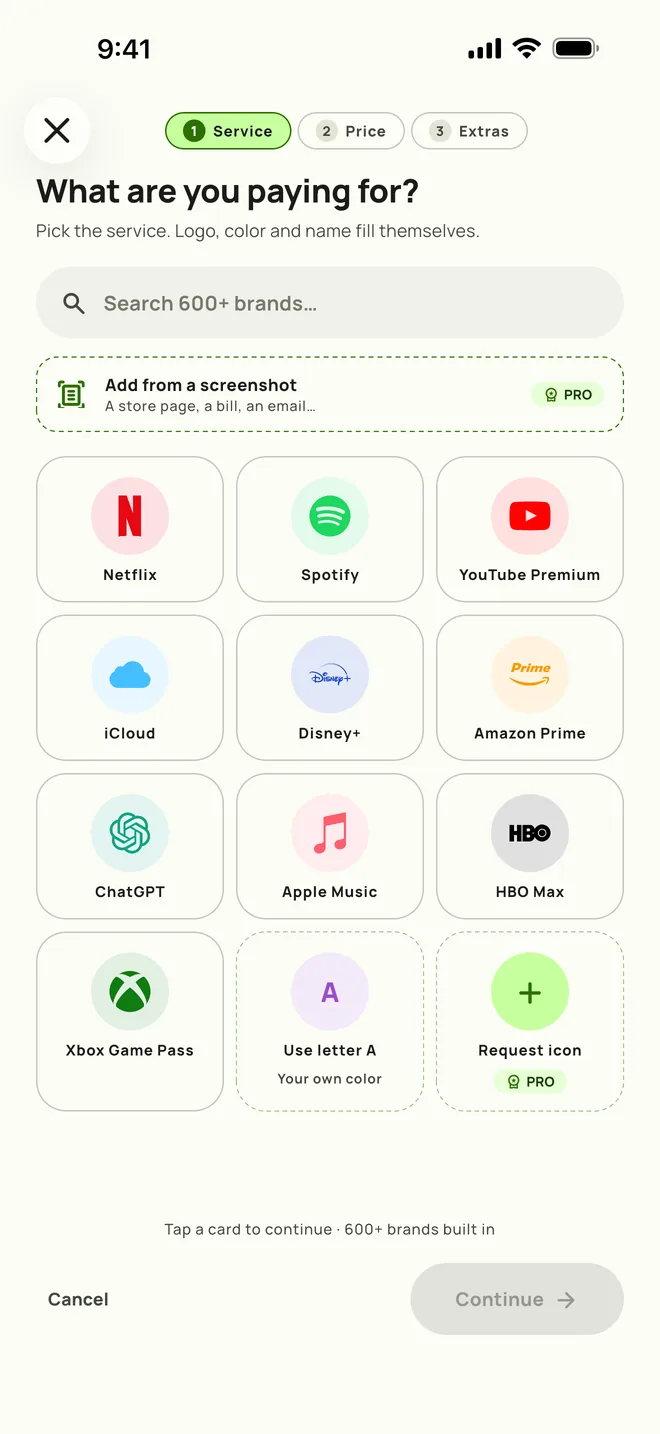
Pick the service from the brand list. PRO can read the details off a screenshot instead.
Get reminded
A reminder lands before the charge does. Same-day to a week ahead, or any custom lead time.
See the total
One number for the month and one for the year, across 46 currencies.

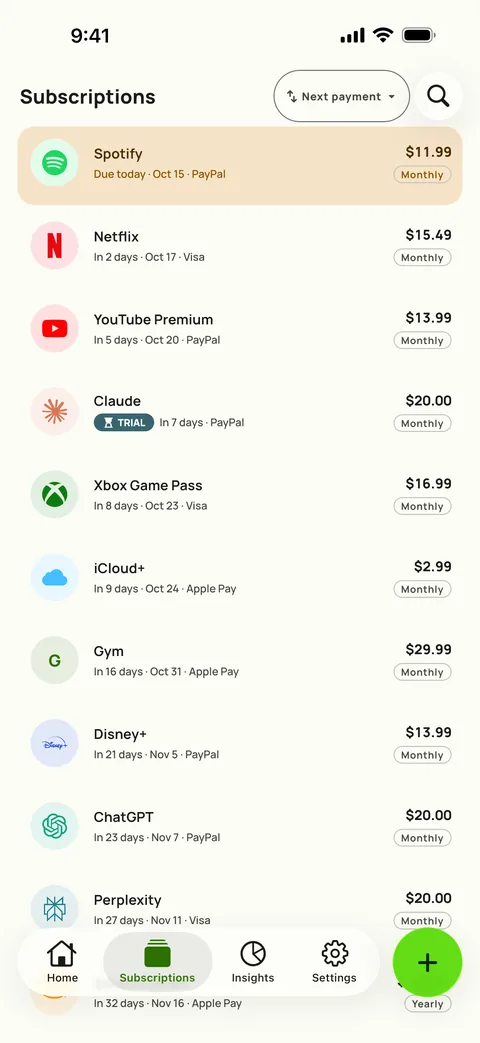
One clear total
Track subscriptions with one total that shows its working.
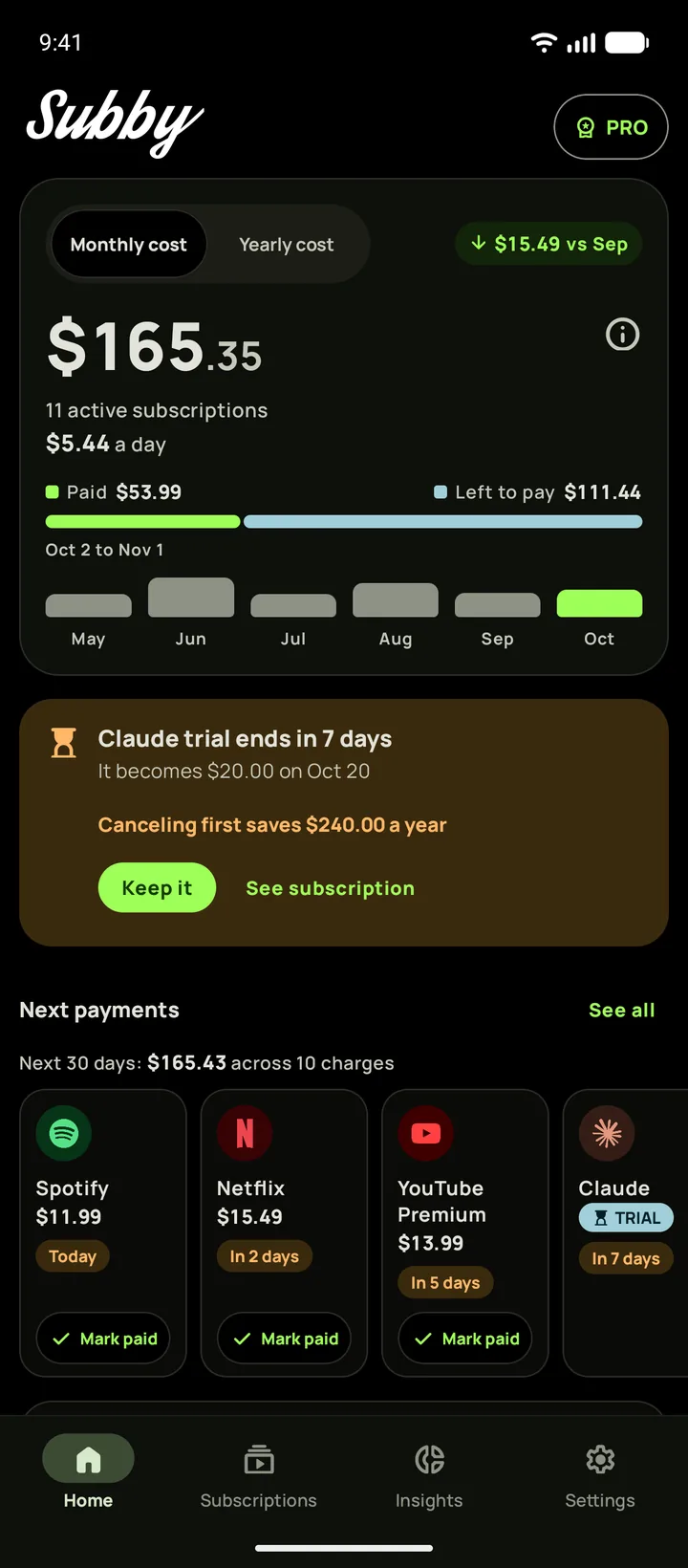
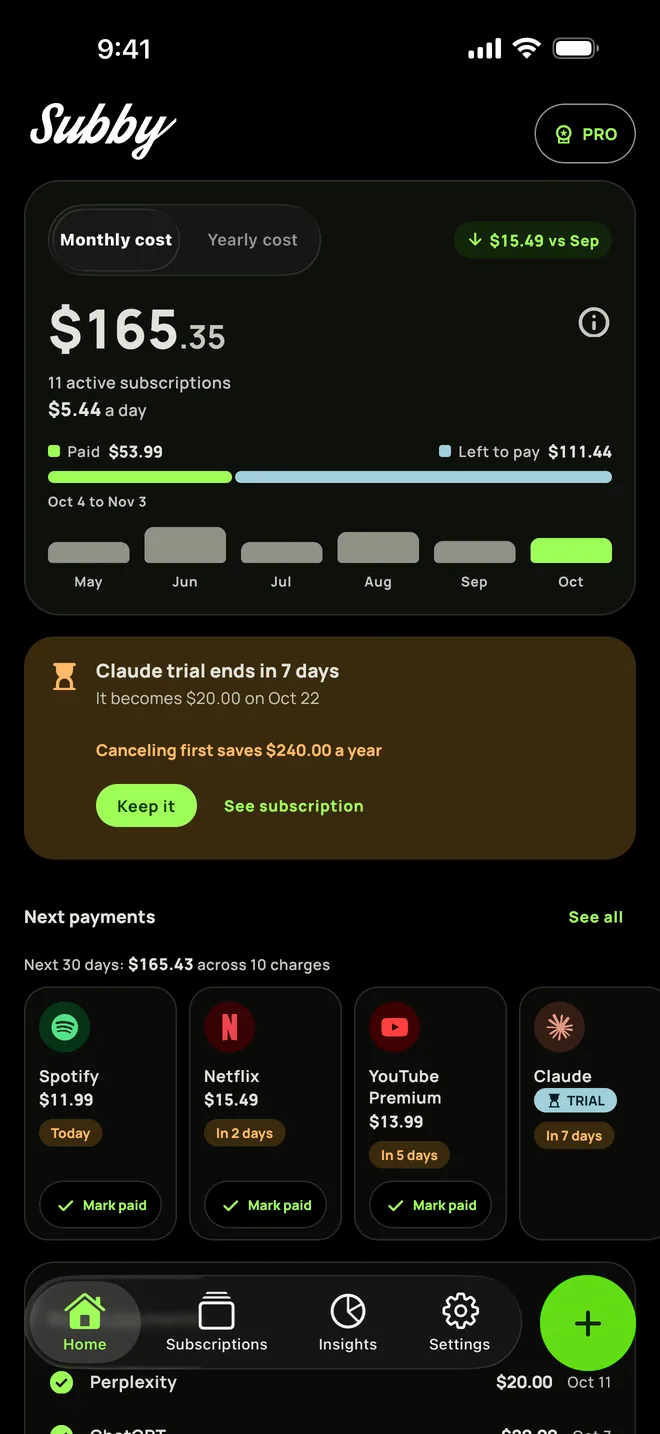
Home opens on this month’s total, what it costs you a day, what is paid, what is still to come and the change against last month. Switch between Monthly and Yearly, and the info button shows how the total is built.
A card steps in first when something needs you: an overdue charge, a trial about to end, a price that does not match. Each has a one-tap fix (Mark all paid, Keep it, Update to the new price) and an Undo.
Below, your next payments are cards you mark paid in place, with the next 30 days added up. The Subscriptions tab lists everything by next charge and the card it goes on.
Reminders
You choose how early the renewal reminder arrives.
Each reminder names the amount, the card and the cycle, and arrives at the hour you pick. If a payment goes unpaid, Subby keeps reminding you for up to a week, and you can mark it paid straight from the notification.
“This is only app that has one feature that no other subscription manager has (I tried 10 others), which is ‘Mark as Paid’ … Great job to the developers for adding this feature.”
 SUBBY · NOW
Netflix charges tomorrow
Monthly · Credit card · 1 day left
Try it. On your phone it is one tap from the notification.
Free trials
A free trial tracker that reminds you before the first charge.
Subby is a free trial tracker as well. Add the trial with its end date and the price it becomes, and it stays out of your total until it converts. A week before the end, a card on Home shows what it will cost and what cancelling first saves in a year. Tap Keep it and the full price starts, with an Undo. Either way, a reminder lands before the first charge.
Payday and budget
Count your month from payday to payday.
Set the day you get paid and a monthly budget, and you budget by paycheck instead of by calendar month. The bar on Home then reads your pay period.
Insights shows what renews before the money lands and what is left of the budget. Over it? Insights names the one cancellation that clears it, or says no single one does.


Brands
600+ brands, ready to go.
Logos and brand colors are built in, streaming services and VPNs alike, and 2.1 refreshed them. Missing one? PRO members can request it, and we add it for everyone.






























Insights
See where your money goes.
Insights is free for everyone, and its trends come from your own payment log.
- Overview shows what you are committed to each month, a year and a day, by category or payment method.
- Trends catches price creep per service against a year ago, and adds up the year ahead against the last.
- Services shows what each subscription has cost you so far, and Wins counts what cancelling and pausing saved.
- Signals flags a price rise to review, missed months, a double charge and stale rates.
Add a subscription from a screenshot.
PRO reads a screenshot of a confirmation email, a bill or a store page, and pulls the service, price and billing cycle out of it. You review and confirm before anything is saved.
Only the screenshot you pick goes to Subby, and only to read the details off it. An AI service does the reading, and the image isn’t stored after processing. Details in the privacy policy.
FILLED IN FOR YOU
Cycles and currencies
Any billing cycle. 46 currencies.
If it renews, Subby tracks it, whether that is weekly or once every three years. The exchange rates behind the totals stay up to date. You can also use Subby in any of its languages, whatever your phone is set to.
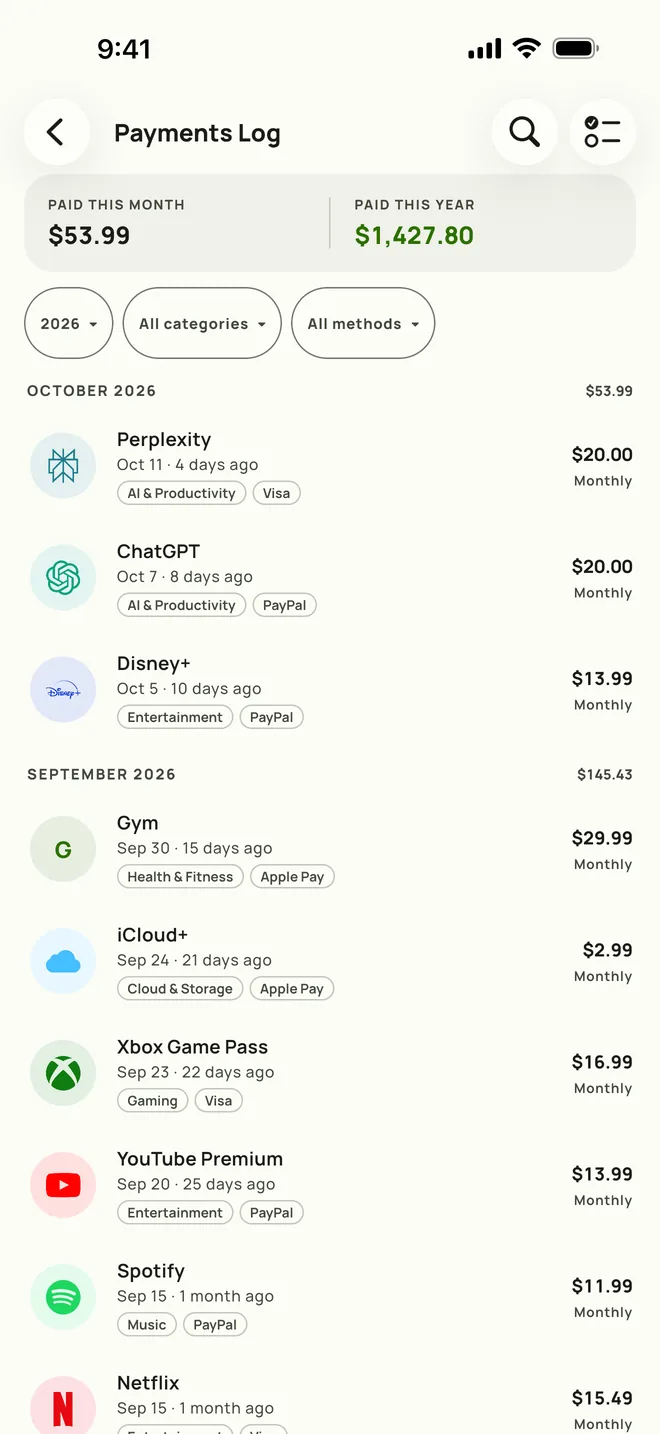
Payments log
Subby remembers every payment.
The log holds the full history with monthly totals. Filter it down to one subscription and you see what that one has cost you so far. When you want the raw numbers, Insights exports it as a CSV file.
System · Light · Dark
Dark mode goes all the way to black.
Subby’s dark theme is #000000, easier on OLED screens. Three modes in the app: System, Light, Dark. This page follows your system setting too.
Screens
Nine screens from the app.
SubscriptionsAndroid SubscriptionsiPhone 
The next 12 monthsAndroid 
The next 12 monthsiPhone Price creepAndroid Price creepiPhone 
Lifetime spend and WinsAndroid 
Lifetime spend and WinsiPhone 
Renewals, day by dayAndroid 
Renewals, day by dayiPhone 
A reminderAndroid 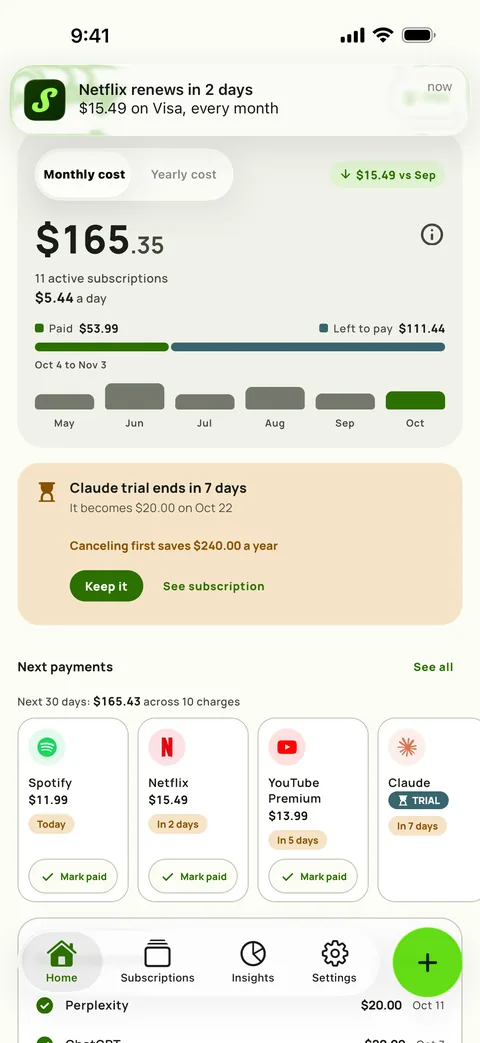
A reminderiPhone 
Home screen widgetAndroid 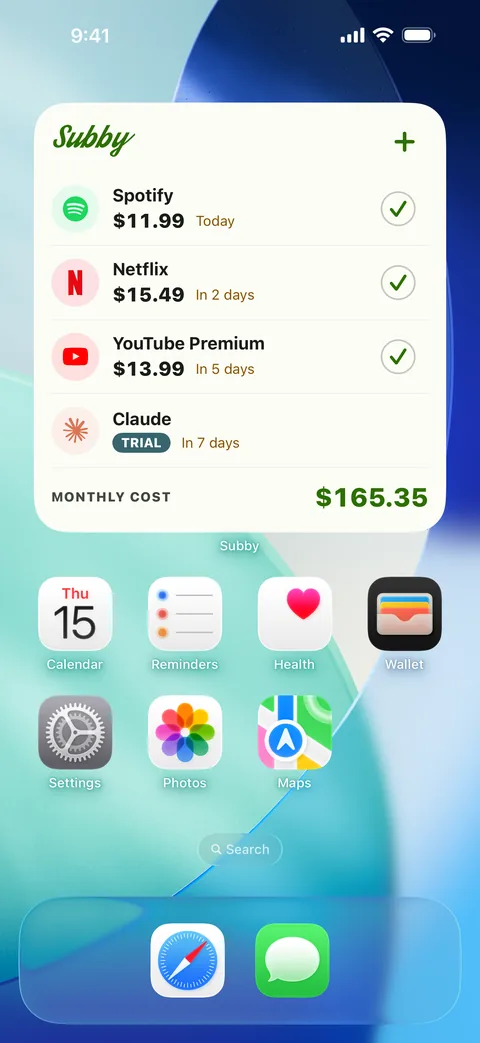
Home screen widgetiPhone 
Backup and restoreAndroid 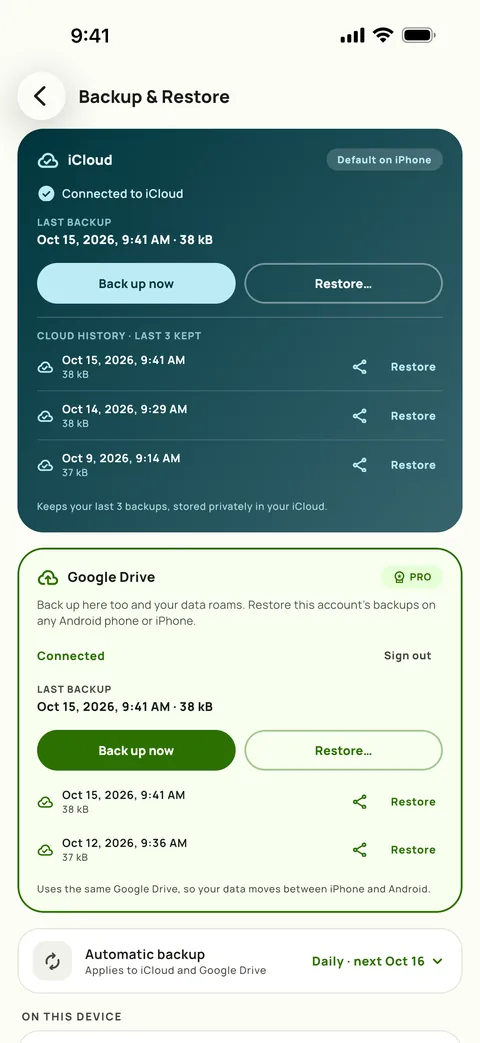
Backup and restoreiPhone 
Where it goes, in darkAndroid 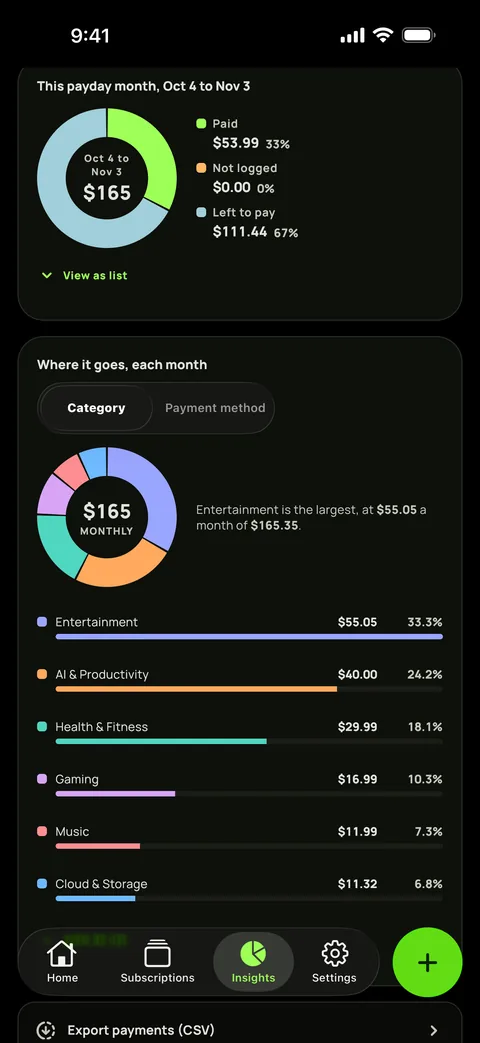
Where it goes, in darkiPhone
iPhone Duo
Subby follows the fold.
Open iPhone Duo wide and Home splits in two, your total and what needs attention on one panel, next and recent payments on the other. Insights spreads over the whole display, with the renewal heatmap running across the crease. Open it tall and nothing sits on the fold. Closed, the outer panel shows a compact Home you can read one handed, and every pose change keeps your place.


Manage subscriptions on Android, iPhone and iPhone Duo.
Android phones Android 11 or later, the Material look, and a home screen widget you can resize. iPhone iOS 18.6 or later, Liquid Glass on iOS 26 or the Material look, your pick. iPhone Duo, open Home, Insights and Subscriptions in two panes that meet at the fold. iPhone Duo, closed A compact Home on the outer panel, readable one handed.
- With PRO, your list moves between iPhone and Android through a backup in your own Google Drive.
- PRO stays with the store you bought it from.
- Home screen widgets come with PRO on both.
Tracking subscriptions since 2017.
Real reviews from Google Play: dated, starred, verbatim (trimmed only where marked).
“Has saved me from late payments and been my reminder to cancel trials for years now.”
“… What I like best about it is that the app doesn’t request your bank account credentials to verify when a subscription was paid. If you value your privacy, this is a good app to use.”
“Great way to keep track of how you’re hemorrhaging money and I like that it’s ‘dumb’ and doesn’t connect to your bank account.”
Start free. No account. No card.
Two minutes from now, you’ll know your number.
Free · No account · No bank login